About Blood and Wine
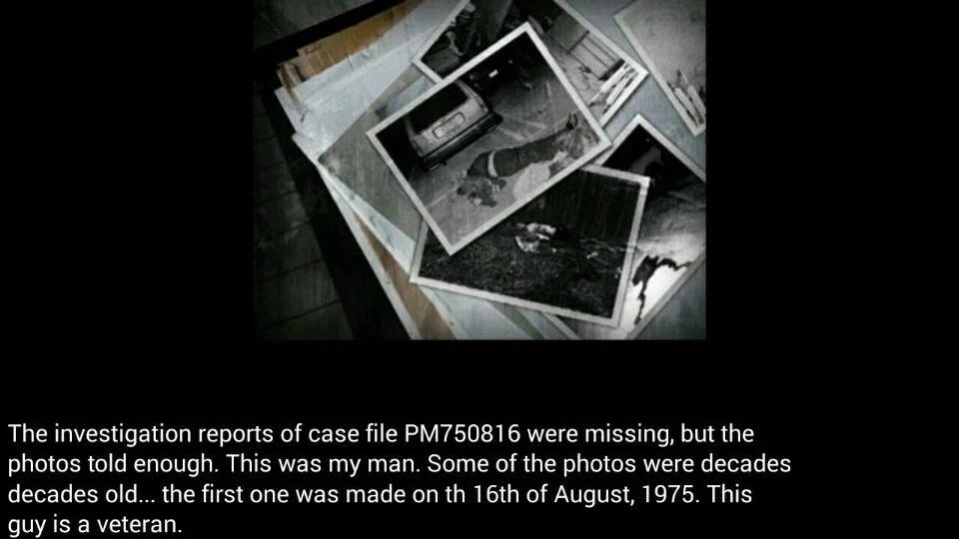
It is a beautifully looking adventure game in which you take over the role of Bora Keskin to solve the murder of your niece. The murder looks like a cover up. There has not been official statements and the mother (your...
It is a beautifully looking adventure game in which you take over the role of Bora Keskin to solve the murder of your niece.
The murder looks like a cover up. There has not been official statements and the mother (your sister) was not allowed to see her daughter’s body.
The game has five chapters, and you need to resolve one or multiple situations in each to get to the next one. Information are presented in nice looking cutscenes and during the chapters. It is important to pay close attention to those information as they can help you in each chapter.
The game offers three main scenarios. In the first, you need to find clues by taking photos of a scene. This happens in chapter one for instance; You visit the apartment of your niece to find out what happened. For this, you need to take photos and find all the clues in the apartment.
Then there are sequences where you talk to someone, and need to pick the right multiple-choice responses. If you fail, you need to start over. You get the first dialogs at the police station where you try to find information about the murder.
You need to combine items in the last mode. This resembles adventures of the old where you often had to find and combine items to create a new item that you needed.
It features great looking images and cutscenes, and the story keeps you wondering and guessing what happened right until the end.
Enjoy
Previous Versions
Here you can find the changelog of Blood and Wine since it was posted on our website on 2019-11-08 00:33:07.
The latest version is 1.0 and it was updated on 2024-04-19 17:40:02. See below the changes in each version.
Blood and Wine version 1.0
Updated At: 2015-08-13
Disclaimer
Official Google Play Link
We do not host Blood and Wine on our servers. We did not scan it for viruses, adware, spyware or other type of malware. This app is hosted by Google and passed their terms and conditions to be listed there. We recommend caution when installing it.
The Google Play link for Blood and Wine is provided to you by apps112.com without any warranties, representations or guarantees of any kind, so access it at your own risk.
If you have questions regarding this particular app contact the publisher directly. For questions about the functionalities of apps112.com contact us.